
Pandora - Music & Podcasts
PandoraMusic & Audio
3.9852.77K Reviews
- Version
- Varies With Device
- Installs
- 100.00M
- Age Rating
- Teen
Screenshots
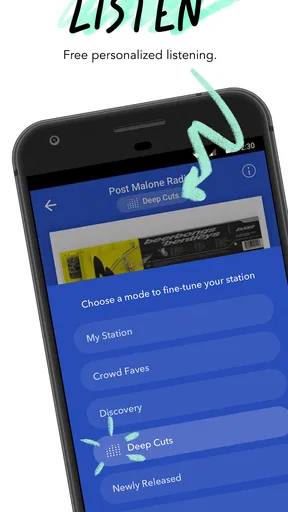
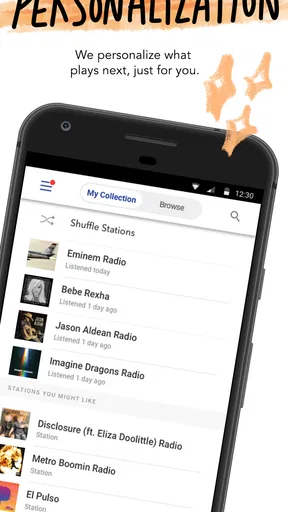
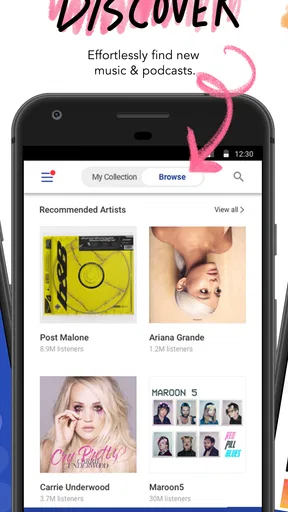
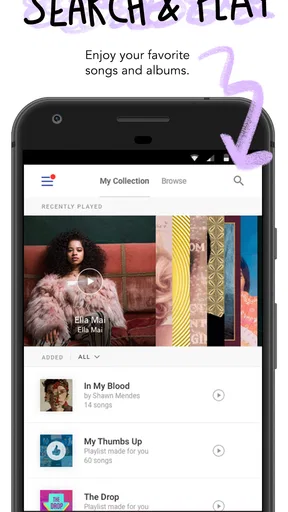
Our Review of Pandora - Music & Podcasts
 Analysis by Appyee
I tend to judge an audio app by what it asks me to do before the first song starts, and whether its listening suggestions feel earned after that. Pandora - Music & Podcasts is built around a familiar exchange: I choose an artist, song, or podcast, then shape what comes next through what I play and how I respond. That can be an appealing way to get out of a listening rut, though it also means the experience becomes more useful as I spend time teaching it what I like.
Trust starts with the choices I can see
Pandora is a free music and audio app from Pandora, with optional in-app purchases priced from $0.99 to $10.99 per item. It has a 3.9 average from around 3.4 million ratings, and more than 100 million installs. Those figures suggest it is a well-established service, but popularity alone does not tell me whether it suits my habits. I would treat the rating as context, then focus on how its listening model and account choices fit my own routine.
Because listening can reveal personal interests, I prefer to be deliberate when setting up any audio service. I would check the app’s current permission prompts and account options on my device rather than assume every request is necessary or identical across Android and iOS. The practical point is simple: grant only the access I understand and want to use, and revisit those choices if my needs change. That is a sensible habit with Pandora just as it is with other media apps.
How I would shape the listening experience
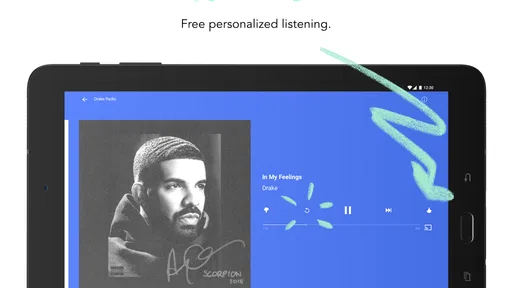
The clearest way to guide Pandora is through direct feedback while a station is playing. A thumbs-up or thumbs-down is more useful than passively letting a track finish: it tells the service whether that particular direction works for me. I would use those buttons consistently, especially early on, but avoid treating one tap as a permanent verdict on an entire artist or genre. If my taste changes, my feedback should change too.
There is a trade-off here. Stations can make music discovery feel effortless, but an algorithmic stream may not give me the exact sequence I want at a particular moment. If I have a specific album order or carefully arranged set in mind, I would look for a service or listening mode designed around direct selection. If I want a station to keep moving while I work, travel, or cook, Pandora’s feedback-led approach is a more natural fit.
Listening with a little more care
My most realistic use would be to start an artist station while getting ready in the morning, then use a thumbs-up when a new track catches my ear and a thumbs-down when the mood misses. Later, I might switch to a podcast for a commute or a longer task. That routine keeps the app useful without requiring me to build a new playlist every day, while still leaving me in control of what I choose to hear.
I would also separate casual discovery from focused listening. When I want background music, stations and mood-based selections can reduce decision fatigue. When I want to concentrate on a particular album, control the precise order, or explore a collection I already know, a more library-first player may suit me better. Pandora is strongest when I want help deciding what comes next, not when I want every detail of playback planned in advance.
Getting Started with Pandora
First thing’s first, downloading the app is a breeze. Available on both Android and iOS, it’s just a tap away in your app store. Once you’ve got it installed, you’ll be prompted to create an account or log in. The setup is pretty straightforward, so you’ll be grooving to your favorite beats in no time.
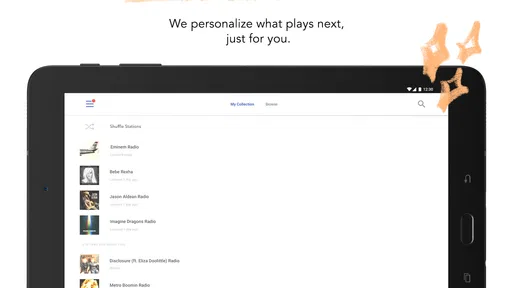
What I love about Pandora is the simplicity of its interface. It’s intuitive and easy to navigate, even if you’re not particularly tech-savvy. You can start by searching for your favorite artist or song, and Pandora will do its magic to create a station tailored just for you. It’s like having your personal music genie!
Exploring Your Musical Universe
One of the standout features of this app is its ability to introduce you to new music. As you listen, you can give tracks a thumbs up or thumbs down, and the app learns your preferences. Over time, your stations evolve, becoming finely tuned to your tastes. It’s a fantastic way to discover new artists and genres that you might never have stumbled upon otherwise.
Here is a small workflow that makes that discovery feel more intentional: I would start separate stations for moods or musical directions I do not want blended together, then give feedback while each one is playing. A station for quiet work can develop differently from one for energetic exercise, even if both began with artists I enjoy. If the recommendations start to feel too narrow, I would seed another station with a different starting point instead of expecting one stream to cover every side of my taste.
Pandora also offers curated playlists for different moods and activities. Whether you’re working out, chilling out, or prepping for a party, there’s a playlist that fits the vibe. It’s like having a mood ring but for your music!
Diving Into Podcasts
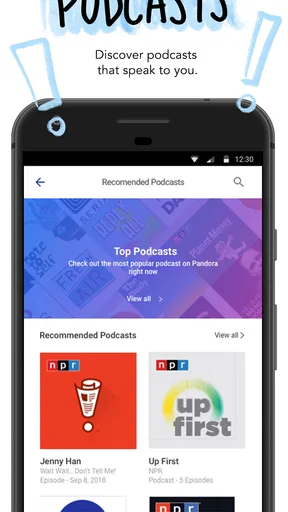
But wait, there’s more! Pandora - Music & Podcasts isn’t just about music. It’s also a treasure trove for podcast lovers. You can explore a vast library of podcasts covering everything from true crime to comedy, and self-help to science. The app makes it easy to find new episodes and keep track of your favorites.
If I were choosing Pandora mainly for podcasts, I would think about how I actually follow a show. Someone who likes browsing a range of audio in one place may appreciate having music and podcasts together; a listener who relies on a highly organized podcast queue or detailed episode-management tools should compare those needs with a podcast-focused app before switching. Keeping both kinds of listening under one roof is convenient, but convenience is not the same as the best specialist workflow.
A useful way to decide is to try a short, ordinary routine rather than judge the app by a single session. I would search for one familiar music starting point, explore a podcast I already know, then return to the app later and see whether it is easy to pick up where I left off. That reveals more about everyday fit than browsing endlessly on setup day. It also helps me notice whether I naturally use the station feedback or prefer to make every selection myself.
The podcast integration is seamless, and you can switch between music and podcasts without missing a beat. It’s perfect for those commutes or long road trips where you want to mix things up a bit.
Price, age suitability, and where it fits
The app is free to download, with in-app purchases available, so I would begin without paying and decide whether the available experience meets my needs before considering any purchase. The listed purchase range is $0.99 to $10.99 per item; I would check the in-app details carefully before confirming anything, especially if a device is shared with family. Pandora is rated Teen, which is worth taking into account when choosing audio for a younger listener. For a household, I would also make sure each person understands which account is being used and who can make purchase decisions.
That makes Pandora a sensible option for listeners who want music discovery, familiar feedback controls, and podcasts in the same app, particularly if they often play audio while doing something else. I would hesitate to recommend it as a first choice to someone who wants a fully manual music library, precise queue-building, or a dedicated podcast organizer. Those are not reasons to dismiss Pandora; they are reasons to match the app to the job rather than expect one service to be ideal for every listening style.
Final Thoughts
Overall, Pandora - Music & Podcasts is a fantastic app for anyone who loves music and podcasts. Its ability to adapt to your listening habits makes it feel personal and tailored, almost like the app knows you better than you know yourself. The combination of music discovery and podcast variety ensures there’s always something fresh to listen to.
So, if you’re looking to shake up your musical world and dive into the podcast universe, give Pandora a whirl. Trust me, you won’t be disappointed.
My cautious recommendation
I would recommend trying Pandora if the idea of guiding stations with simple feedback sounds more appealing than assembling every listening session by hand. I would keep my account and permission choices intentional, pay attention to purchase prompts, and see whether its mix of music and podcasts genuinely simplifies my day. If I consistently want exact track control or deeper podcast organization, I would choose a more specialized alternative instead. For relaxed discovery and easy switching between types of audio, though, Pandora has a clear purpose—and that is the reason I would give it a place on my phone.
Privacy and Permissions
See what permissions an app requests and how it handles your data.
- Identity
- find accounts on the device
- Contacts
- find accounts on the device
- Phone
- read phone status and identity
- Photos/Media/Files
- read the contents of your USB storage, modify or delete the contents of your USB storage
- Storage
- read the contents of your USB storage, modify or delete the contents of your USB storage
- Microphone
- record audio
- Wi-Fi connection information
- view Wi-Fi connections
- Device ID & call information
- read phone status and identity
- Other
- view network connections, pair with Bluetooth devices, access Bluetooth settings, change network connectivity, allow Wi-Fi Multicast reception, full network access, run at startup, prevent device from sleeping, install shortcuts, read Google service configuration
Verdict
Strengths of Pandora - Music & Podcasts
- Extensive music library with diverse genres.
- Personalized playlists improve over time.
- Offline listening available for premium users.
- User-friendly interface and navigation.
- Curated podcast recommendations.
Limitations of Pandora - Music & Podcasts
- Ads are frequent on the free version.
- Limited skips on free accounts.
- Audio quality lower than some competitors.
- Offline mode requires premium subscription.
- Some songs may not be available.
Other Releases by Pandora
View All
Pandora Music for TV
Music & Audio3.6
Similar Picks in This Category
View All
YouTube Music
Google LLC4.4

Samsung Music
Samsung Electronics Co., Ltd.3.8

Spotify: Music and Podcasts
Spotify AB4.3

JioSaavn - Music & Podcasts
Saavn Media Limited4.3

Lark Player:Music Player & MP3
Lark Player Studio - Music, MP3 & Video Player4.6

StarMaker: Sing Karaoke Songs
SKYWORK AI PTE. LTD.4.3
You May Also Like
View All


Frequently Asked Questions
What features does Pandora offer for discovering new music and podcasts?
Pandora provides a unique Music Genome Project, which curates playlists based on your listening habits. It uses advanced algorithms to suggest new artists and podcasts tailored to your taste. Additionally, Pandora offers personalized radio stations and curated playlists, making it easy to explore and discover new content seamlessly.
Is Pandora available offline, and how can I enable this feature?
Pandora offers offline listening for Premium subscribers. To enable offline mode, you can download your favorite stations, playlists, or albums directly to your device. This feature is perfect for times when you don't have internet access, such as during flights or in remote areas.
What are the subscription options and benefits for Pandora users?
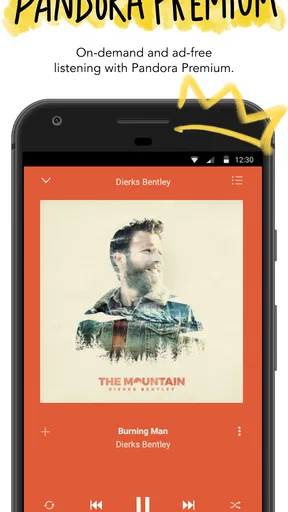
Pandora offers several subscription tiers, including Pandora Plus and Pandora Premium. Pandora Plus provides ad-free listening and offline capabilities, while Pandora Premium adds on-demand music selection and playlist creation. Each tier enhances the user experience, with additional features tailored to how you prefer to enjoy your music and podcasts.
How does Pandora handle user privacy and data security?
Pandora takes user privacy seriously, employing robust security measures to protect your data. The app requires minimal personal information and adheres to strict privacy policies to ensure your information is kept safe. Users can also customize privacy settings to control what data is shared and how it's used by the service.
Can I share my favorite music and podcasts with friends on Pandora?
Yes, Pandora allows you to share your favorite tracks, stations, and podcasts with friends. You can easily send recommendations via social media platforms, messaging apps, or email. This social feature makes it easy to connect and share your musical discoveries with others, enhancing the overall listening experience.
